DeWalt DCD791 Trigger Switch Not Working: Causes and Fixes
The DeWalt DCD791 is a compact 20V MAX brushless drill/driver known for its high performance and durability. However, like any power tool, its trigger switch can fail over time due to dust, debris, electrical arcing, or mechanical wear. When the trigger stops responding or becomes intermittent, it renders the tool unusable. This article explores the most common causes of trigger switch failure on the DCD791 and provides step-by-step fixes to restore its function.
Why Won’t My DeWalt DCD791 Turn On When I Press the Trigger?
If your DCD791 fails to power up, the issue is often related to the trigger switch or its electrical connections. Before diving into switch replacement, check the battery. Insert a fully charged, known-working battery (e.g., DeWalt 20V MAX 5Ah) and press the trigger. If the tool still does not respond, the trigger switch assembly is likely at fault. Internal corrosion or broken wires between the switch and the motor can also cause this. Listen for a faint click when pressing the trigger; if absent, the switch mechanism may be mechanically stuck.
For a deeper look into battery-related issues, see our guide on DeWalt DCD791 Battery Compatibility: Which Batteries Work?.
What Causes the Trigger Switch to Feel Stiff or Stuck on the DCD791?
Stiff or stuck triggers are commonly caused by debris buildup inside the trigger housing. Construction dust, wood chips, or hardened grease can block the trigger’s return spring or prevent it from returning to the neutral position. Another cause is a damaged trigger return spring, which may have snapped or weakened over time. Additionally, the switch’s internal contacts can become welded due to high current arcing, making the trigger feel mechanically locked.
If the trigger is physically stuck but the tool runs when pressed, the issue is likely mechanical rather than electrical. In such cases, cleaning the trigger assembly with compressed air and electrical contact cleaner can resolve the problem. Avoid using lubricants that attract dust. If the trigger still sticks, the switch assembly may need replacement.
How to Diagnose a Faulty Trigger Switch on the DeWalt DCD791?
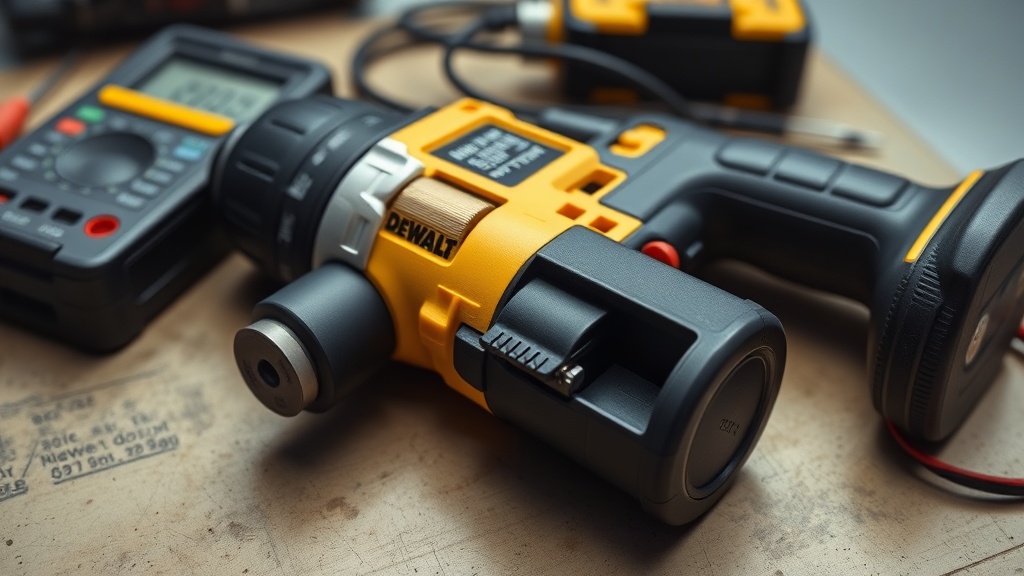
Diagnosing a faulty trigger switch involves several steps. First, test the switch with a multimeter set to continuity mode. Disconnect the battery and remove the switch from the drill. The DCD791’s trigger switch has four terminals: two for battery power input and two for motor output. Press the trigger and check continuity between the input and output terminals. If there is no continuity when the trigger is fully depressed, the switch is defective.
Also inspect the wiring harness for breaks or loose connections. The wires from the switch to the motor and battery terminals can chafe or break internally, especially near the hinge points. Use a multimeter to check for voltage at the motor terminals when the trigger is pressed with a charged battery installed. If battery voltage is present at the switch output but not at the motor, the motor or its connections are the issue. For motor troubleshooting, see DeWalt DCD791 Brushless Motor Failure: Causes and Fixes.
| Symptom | Probable Cause | Severity | Fix |
|---|---|---|---|
| Trigger pressed, no power | Switch internal failure | High | Replace trigger switch |
| Intermittent operation | Loose wire or dirty contacts | Medium | Clean or re-solder connections |
| Stiff trigger | Debris or spring damage | Low-Medium | Clean mechanism or replace spring |
| Trigger buzzes but motor not move | Motor failure or shorted windings | High | Check motor, see motor replacement guide |
Can I Repair the Trigger Switch Without Replacing It?
In many cases, yes. If the switch is merely contaminated, you can salvage it. First, remove the drill housing and disconnect the battery. Remove the switch from the tool (usually held by screws or clips). Spray electrical contact cleaner directly into the trigger mechanism while repeatedly pressing it to flush out debris. Then let it dry completely (10-15 minutes). Test continuity with a multimeter. If it works, reassemble.
If the issue is a broken spring or corroded terminals, repair is trickier. You can attempt to solder broken wires, but the switch’s internal plastic housing is delicate. Replacement is often safer and cheaper than risking short circuits. For a reliable step-by-step on replacing the switch, refer to the DeWalt DCD791 Brush Replacement: Step-by-Step Guide for disassembly tips (the brush replacement guide shows how to open the tool). However, note that the DCD791 is brushless; the brush replacement guide applies to brushed models, but the disassembly steps are similar for accessing the switch.
What Are the Costs to Replace a DCD791 Trigger Switch?
Replacing the trigger switch on a DeWalt DCD791 is affordable. A genuine DeWalt replacement switch (part number N068785 or equivalent) costs between €18 and €30 in Europe, or approximately £15 to £25 in the UK. In the US, it is around $20 to $35. Third-party switches are cheaper (€10–€15) but may lack the same quality. Labor costs if done by a professional repair shop range from €25 to €50, totaling €40–€80 for the repair. Doing it yourself saves labor costs, but you’ll need a T10 Torx screwdriver and a small flathead screwdriver. The entire process takes about 30–45 minutes.
What Owners Say About the DCD791 Trigger Switch
User reviews on tool forums and Amazon UK highlight both durability and occasional failure. Many owners report that the DCD791 trigger switch lasts for years under normal use. One user on a UK DIY forum said, “I’ve used my DCD791 daily for three years without any trigger issues – it’s built like a tank.” However, a minority experienced failure after heavy dust exposure on construction sites. “After six months of drywall work, the trigger started sticking,” wrote a builder from London. “I cleaned it with compressed air and it’s been fine since.”
Another common complaint is the lack of a variable speed lock-off mechanism on some early models, which can cause accidental starts. “The trigger is too sensitive – sometimes it engages when I grab it,” shared a reviewer on Amazon. Most owners recommend keeping the tool clean and storing it in a case. For comparisons with other tools, see DeWalt DCD791 vs Milwaukee M18 FUEL Sawzall: Which Reciprocating Saw Wins? and DeWalt DCD791 vs Milwaukee M18 FUEL Router: Which Cordless Router Wins? for context on trigger design differences.
Frequently Asked Questions
Q: How do I reset the trigger switch on a DeWalt DCD791?
A: There is no electronic reset. Remove the battery, inspect the trigger for debris, and clean with contact spray. If the switch is mechanically stuck, gently pry it with a small screwdriver while pressing the trigger.
Q: Can I use the DCD791 without a trigger switch?
A: Not recommended. The trigger switch controls motor speed. Bypassing it can cause full-speed operation, leading to loss of control or damage. It can also cause the motor to run continuously, draining the battery and risking overheating.
Q: Why does my DCD791 trigger work only sometimes?
A: Intermittent operation suggests a loose wire, dirty switch contacts, or a failing internal switch connection. Open the tool and check all wiring connections. Clean the switch with contact cleaner and test with a multimeter.
Q: Does the DCD791 trigger switch have a built-in brake?
A: Yes, the DCD791 has an electronic brake that engages when you release the trigger. If the brake stops working, it may indicate a motor controller issue rather than the trigger switch itself. See our DeWalt DCD791 Motor Replacement: Step-by-Step Guide for related diagnostics.
Q: How long does a DeWalt DCD791 trigger switch last?
A: Under normal use, 2–5 years. Heavy dust, moisture, or overloading can shorten lifespan. Regular cleaning and dry storage extend life.
Q: Can I replace the DCD791 trigger switch myself?
A: Yes, with basic tools (T10 Torx screwdriver, small flathead). Disconnect battery, remove housing, desolder two wires (or unplug if connector type), and swap with a new switch. Watch for small springs that may fly out. Reassembly is reverse.